Home avatar

Deokgon Kim

2023 Esp8266 Ir Remote

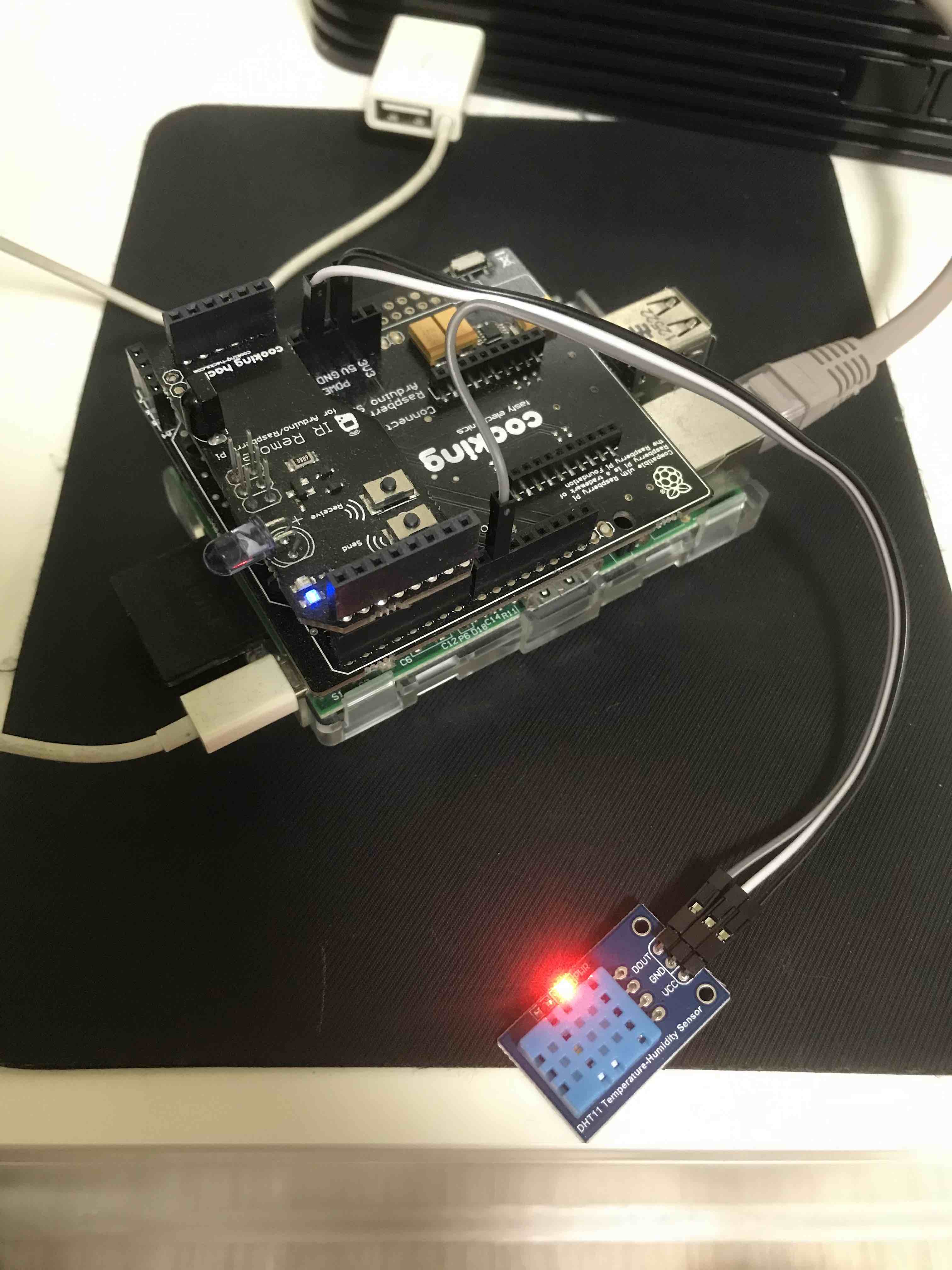
When I was using raspberry pi, I bought a IR transceiver module for Arduino. and used it for several years. IR transceiver

Raspberyr Pi, IR Transceiver and DHT11

And this year, I am interested in ESP8266, so I bought another IR receiver, IR transmitter.

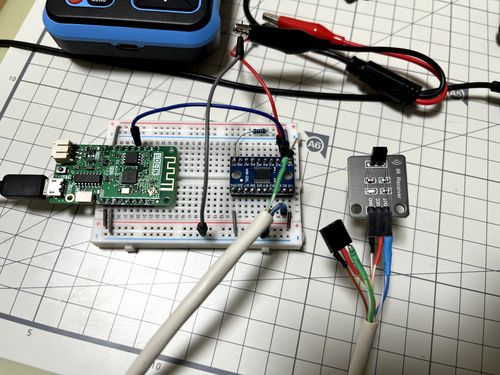
Install esp8266 and voltage converter on breadboard.

esp8266, breadboard, and ir receiver

Install IR receiver and IR transmitter in front of tv

Raspberry Pi 1

  • Bought : â‚©58,000 2013/04/24

    • with : PiFace, BOARD, I/O EXPANSION, RASPBERRY-PI (â‚©48,570)
  • At First : install raspbian. tested relay, and tested led on PiFace

  • As a IR Remote controller : telegram-bot-try2, 2019 May IoT project

  • As a Thermal sensor : finally just read DHT11 temperature/humidity and send it to the server.

    #!/bin/bash
    
    export API_URL=https://public-api.dgkim.net
    export API_KEY=----
    
    export DHT11=/home/pi/git/rpi_sensor/src/test_dht11
    
    export HUMI_TEMP=$($DHT11 | tail -1)
    
    HUMI=$(echo $HUMI_TEMP | tr "," "\n" | head -1)
    TEMP=$(echo $HUMI_TEMP | tr "," "\n" | tail -1)
    
    TIMESTAMP=$(date +"%Y-%m-%dT%H:%M:%S%z")
    
    echo "HUMI $HUMI"
    echo "TEMP $TEMP"
    
    
    curl -X POST "$API_URL/v1/temperatures/" \
    -H 'Content-Type: application/json' \
    -H "X-API-KEY: $API_KEY" \
    -d"
    {
      \"temperature\": $TEMP
    }
    "
  • Today : Turn it off.. and remove SD Card from it. Please Rest in Peace my raspberry pi.

Esphome PIR Sensor + LED Strip

Story

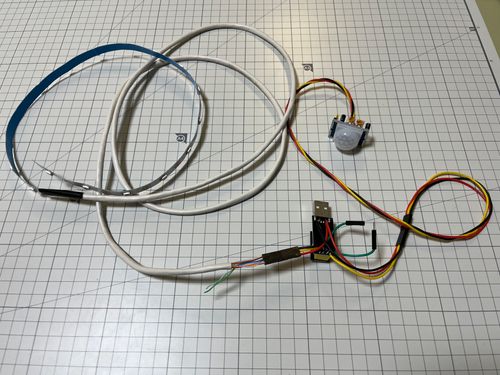
I wanted to implement automatic LED light, when I approach kitchen.

  • ESP8266 compatible board. (I use ESP01 board this time)
  • WS2812B LED Strip (5v addressable LED)
  • HC-SR501 PIR Sensor (body detection sensor)
  • WS2812B

    • vcc : to USB 5v positive pin
    • gnd : to USB ground pin
    • data : to GPIO1 of ESP01
  • HC-SR501

    • vcc : to USB 5v positive or 3.3v
    • gnd : to USB ground pin
    • data : to GPIO0 of ESP01

Overall Photo

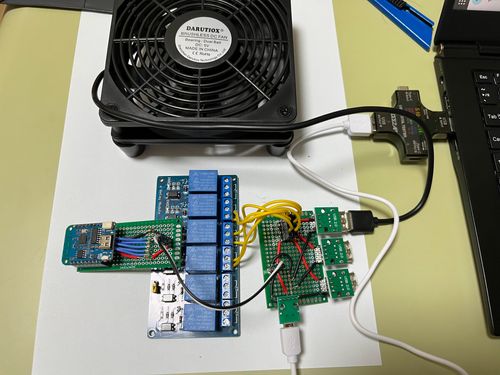
Esphome Relay Fan

ESPHOME + Relay + FAN

Overall Photo

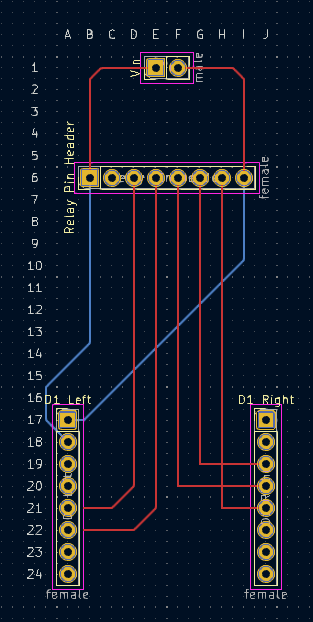
ESP8266 PCB

esphome:
  name: six

esp8266:
  board: d1_mini

# Enable logging
logger:

# Enable Home Assistant API
api:
  password: ""

ota:
  password: ""

wifi:
  ssid: !secret wifi_ssid
  password: !secret wifi_password

  # Enable fallback hotspot (captive portal) in case wifi connection fails
  ap:
    ssid: !secret wifi_fb_ssid
    password: !secret wifi_fb_password

captive_portal:
    
# Example configuration entry
switch:
  - platform: gpio
    pin: GPIO4
    name: "Switch2"
    inverted: true
  - platform: gpio
    pin: GPIO5
    name: "Switch3"
    inverted: true
  - platform: gpio
    pin: GPIO12
    name: "Switch4"
    inverted: true
  - platform: gpio
    pin: GPIO13
    name: "Switch5"
    inverted: true
  - platform: gpio
    pin: GPIO14
    name: "Switch6"
    inverted: true
  • Turn on when RPi4’s temperature is above 58
alias: rpi4-cooling
description: ""
trigger:
  - platform: numeric_state
    entity_id: sensor.rpi4_temperature
    above: 58
condition: []
action:
  - type: turn_on
    device_id: 98f3c834a50732c3b8981d0d5925158a
    entity_id: 186a943f4f7f486e95ce2bb1c6751a7f
    domain: switch
mode: single
  • Turn off when RPi4’s temperature is below 50
alias: rpi4-cooling-stop
description: ""
trigger:
  - platform: numeric_state
    entity_id: sensor.rpi4_temperature
    below: 50
condition: []
action:
  - type: turn_off
    device_id: 98f3c834a50732c3b8981d0d5925158a
    entity_id: 186a943f4f7f486e95ce2bb1c6751a7f
    domain: switch
mode: single

2023 Pico PC

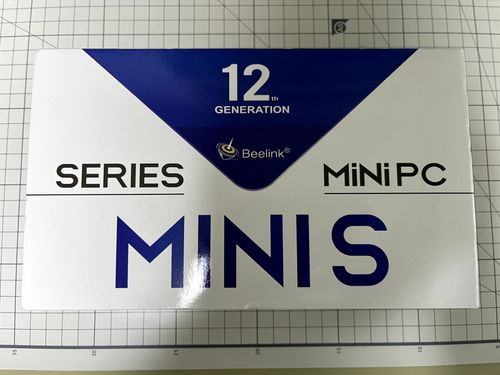
I bought Pico PC via indiegogo fundraising several months ago.Oct 2022 - Bought Pico PC

Long-waited Pico PC is just arrived today

Pico PC Box front

Pico PC Box back

Pico PC Box inside

Pico PC Boot screen

Next. the boring win10 boot sequence starts.. (before installing ubuntu, let’s see what is win10, what it looks like)

Show Applications installed on User's own home directory

On ubuntu, when you press Super key twice or press Super+A, you see applications installed on host. But, not all applications are installed via dpkg or snap. for example, Postman and Bitwarden doesn’t provide installers instead they provides something like App Image.

I place such programs in ~/Applications. and I want to run this kind of program conviniently using Super key like Spotlight search in Mac.